
🎨 What is UI Design? Getting Started with Figma and Adobe XD
When you visit a beautiful and easy-to-use website or app, that’s the result of great UI design.
In this blog, we’ll explain what UI (User Interface) Design is, why it’s important, and how you can start designing using popular tools like Figma and Adobe XD.
✅ What is UI Design?
User Interface (UI) Design focuses on how a digital product looks and feels. This includes:
- Buttons
- Menus
- Forms
- Typography
- Colors
- Layouts
A UI designer’s job is to make sure users enjoy the experience and can use the app or website easily.
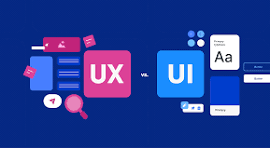
🧠 UI vs UX – What’s the Difference?
You might hear the term UX (User Experience) alongside UI. Here’s the difference:
- UI = how it looks
- UX = how it works
UI is part of UX. Think of UI as the visual design and UX as the overall journey a user goes through.
🔧 Tools for UI Design
There are two main tools used by designers today:
1. Figma
- Cloud-based design tool
- Real-time collaboration
- Free for personal use
- Works on Windows, Mac, and Chromebooks
Use Figma to create website layouts, app interfaces, and interactive prototypes.
2. Adobe XD
- Part of Adobe Creative Cloud
- Great for mobile and web design
- Interactive prototyping features
- Integration with Photoshop and Illustrator
✨ Features of Figma and Adobe XD
| Feature | Figma | Adobe XD |
|---|---|---|
| Cloud-based | ✅ Yes | ❌ No (Desktop) |
| Collaboration | ✅ Real-time | ✅ With plugins |
| Prototyping | ✅ Built-in | ✅ Built-in |
| Free plan available | ✅ Yes | ✅ Yes |
| Works on all devices | ✅ Yes | ❌ Limited |
🖼️ Why UI Design Matters
- First impressions: Good design builds trust.
- User retention: Clean interfaces keep users engaged.
- Better conversions: Great UI can improve sales or sign-ups.
- Brand identity: Colors, fonts, and layout reflect your brand.
In short, UI design plays a huge role in user satisfaction and success.
🛠️ How to Get Started in UI Design
- Learn the basics of layout, color theory, and typography
- Watch beginner tutorials on YouTube for Figma and XD
- Recreate popular app screens (like Instagram or Netflix)
- Join design communities like Dribbble or Behance
- Practice by designing landing pages, mobile apps, or dashboards
🧑💻 UI Design + Web Development = Power Combo
If you’re learning web development, combining it with UI design will help you:
- Build better-looking websites
- Work more efficiently with designers
- Create full projects from design to deployment
WordPress users can also take advantage of this—design your layout in Figma or XD, then implement it using themes or page builders like Elementor.
🏁 Final Words
UI Design is not just for designers—it’s for anyone who wants to build digital products that people love to use.
Tools like Figma and Adobe XD make it easy to start designing, even if you’re a beginner. Whether you’re creating your first website or designing an app, great UI design makes a big difference.
Start small, stay consistent, and soon you’ll be creating stunning interfaces on your own!
Need a sample Figma template, design guide, or WordPress integration help? Drop a comment or contact us—we’d love to help!
